Free · Open source · Your data stays on your Mac
Know where every dollar goes.
Without handing anyone your bank password.
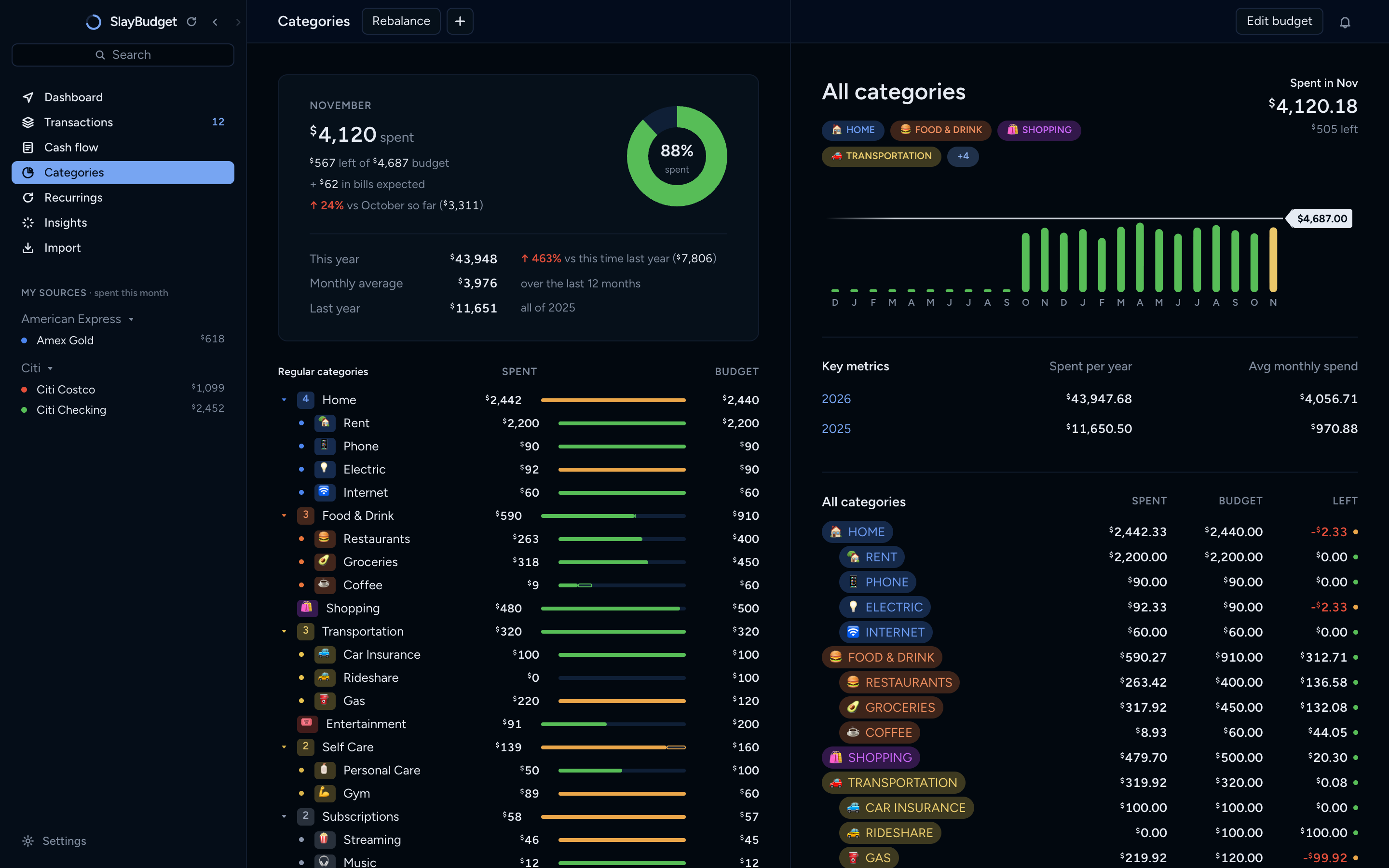
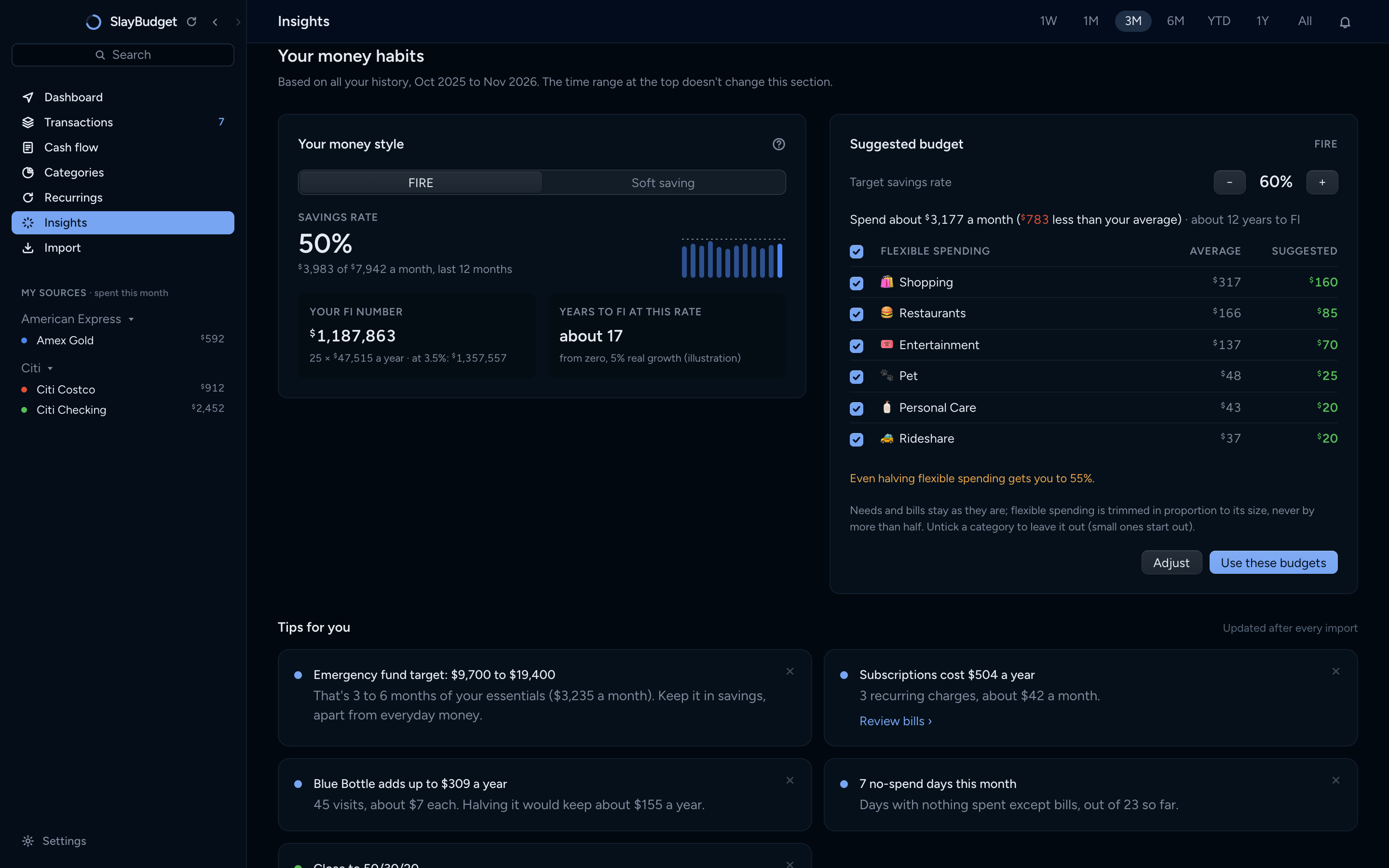
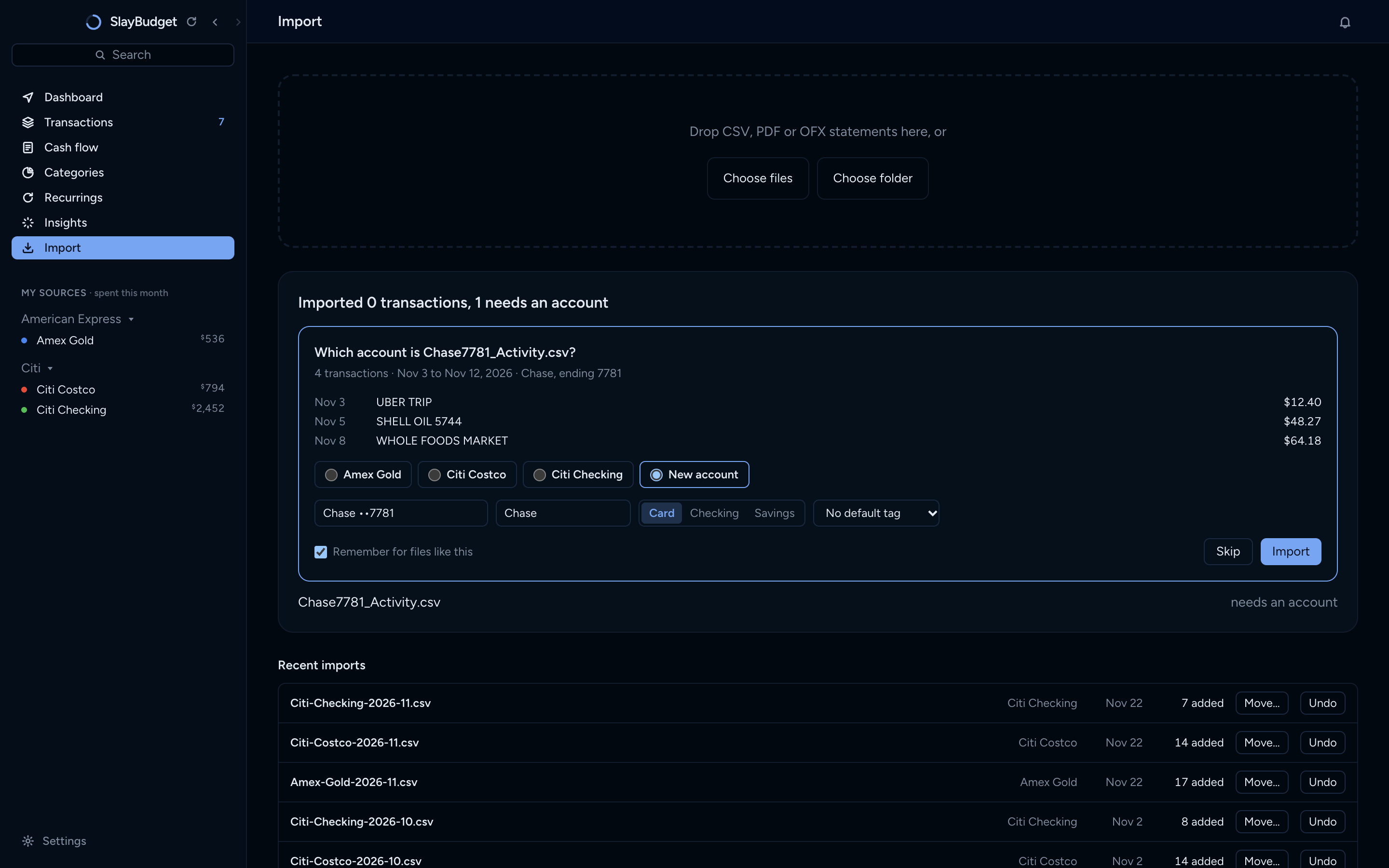
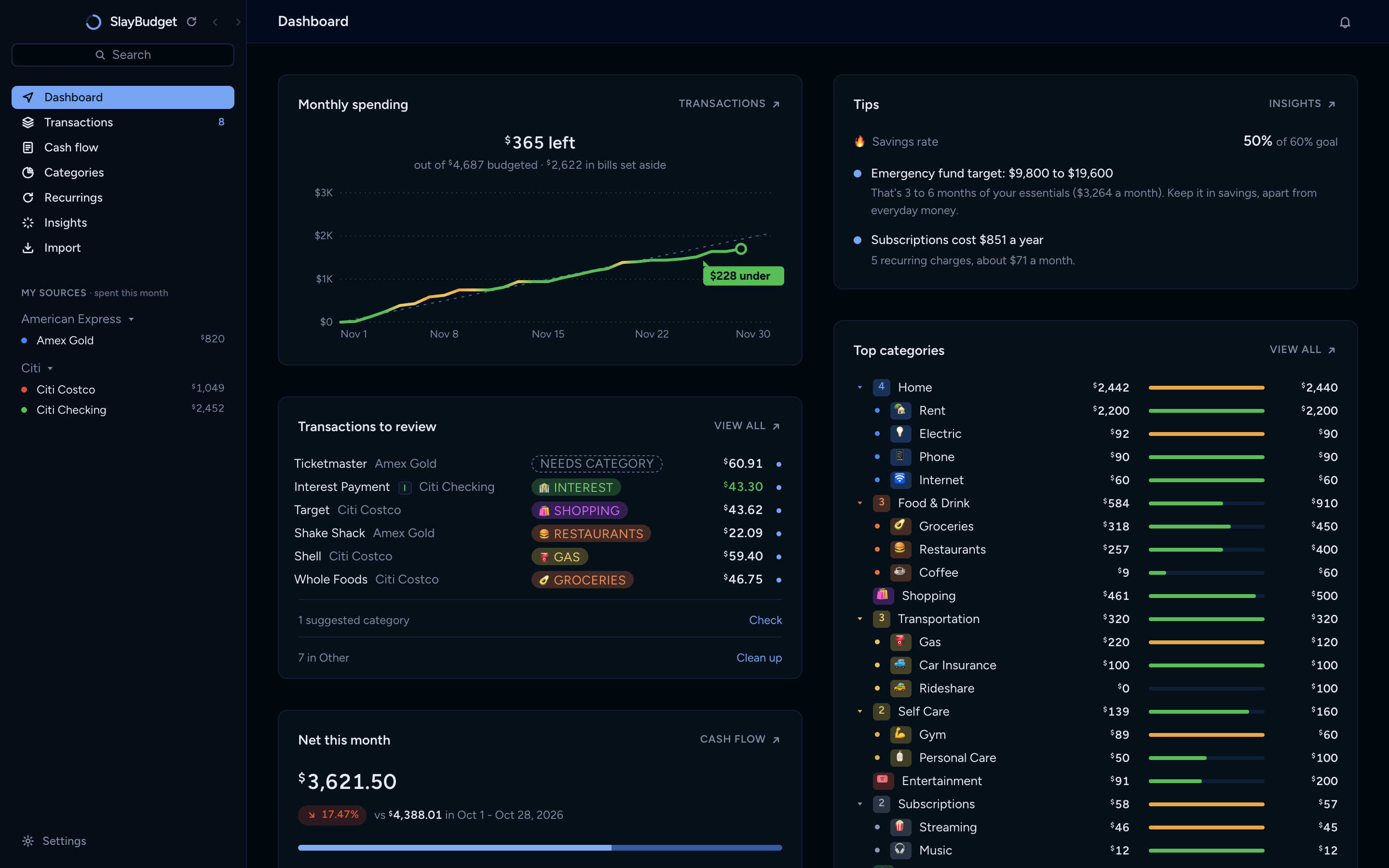
SlayBudget reads your bank statements, sorts every transaction, tracks your bills and subscriptions, and shows what you can still spend this month. No subscription, no account, no cloud.
Free · Made for macOS · Windows and Linux builds too
Questions
Is SlayBudget really free?
Yes. It's open source under the MIT license, with no paid tier and no ads. If it helps you, a star on GitHub helps other people find it.
Does it connect to my bank?
No. You download statements from your bank (CSV, PDF, QFX, OFX, QBO or QIF) and drop them in. Nothing asks for your bank password.
Where is my data stored?
In one SQLite file on your Mac. There's no server. Back it up like any other file, or with the one-click backup in Settings.
Is it a Copilot Money, YNAB or Mint alternative?
Yes, if you want budgets, categories, bills and insights without a subscription or giving an app your bank login. It's an independent project, not affiliated with any of them.
Which Macs does it run on?
Apple silicon and Intel Macs. Windows and Linux builds are published too, but they're untested.
How do I add a recurring bill?
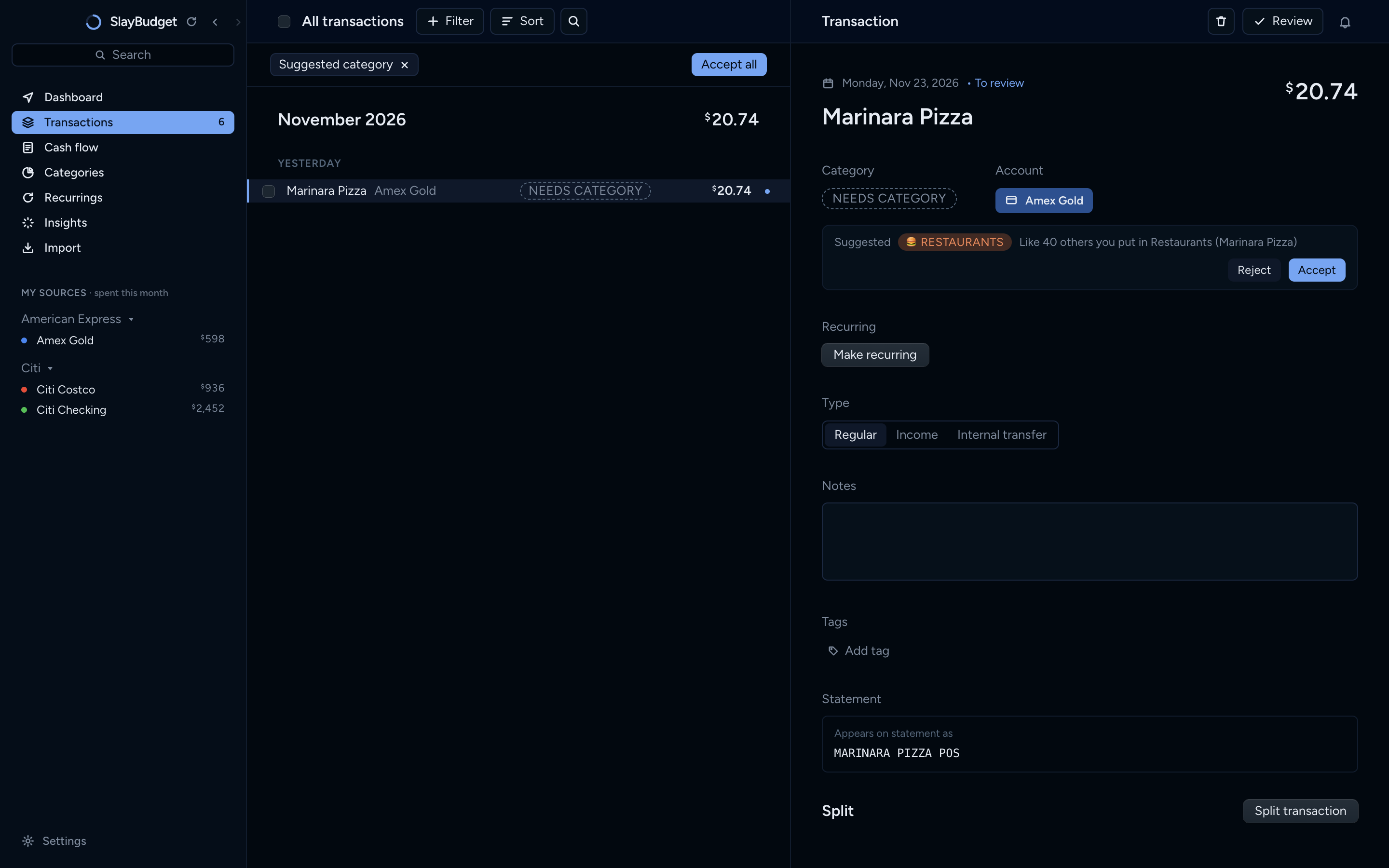
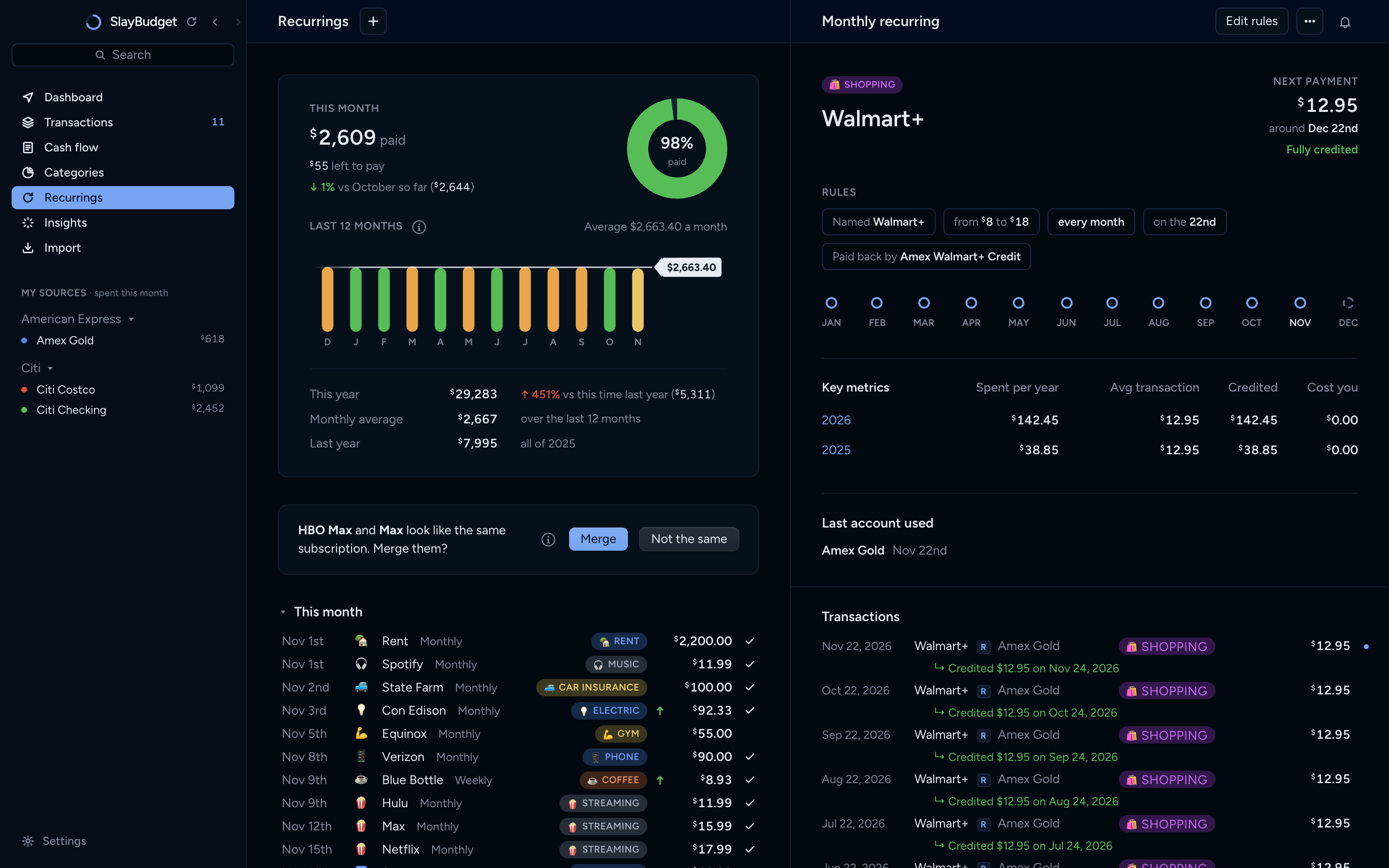
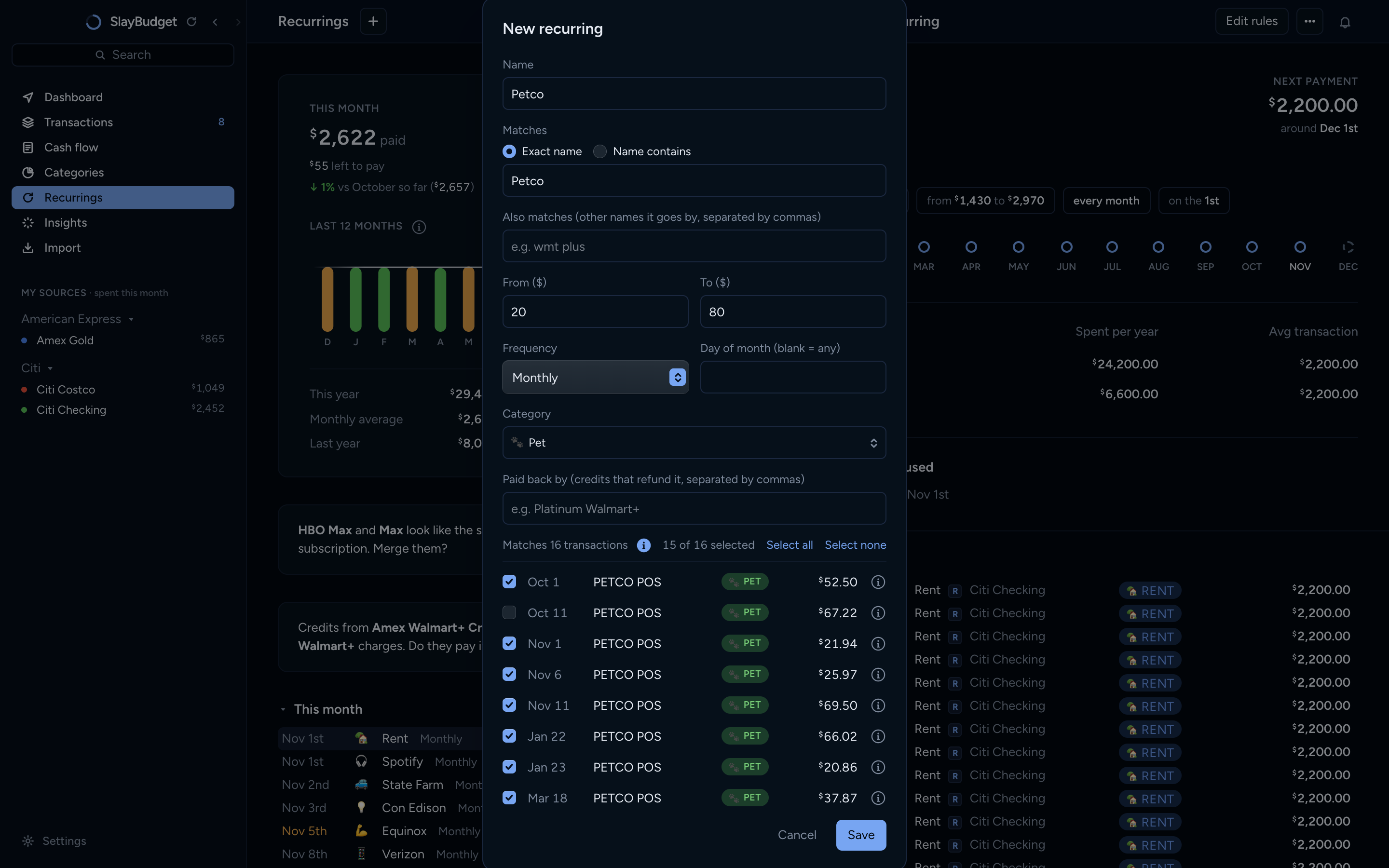
Bills that repeat are found for you. To add one yourself, press + on Recurrings and search a transaction by name, or open a transaction and choose Make recurring. The rules come filled in from that charge. Below them, the ⓘ next to "Matches N transactions" lists every past charge the bill would claim: untick any that don't belong (or use Select none and pick a few) and they stay out of the bill for good.
When are my bills due, and what do they cost a year?
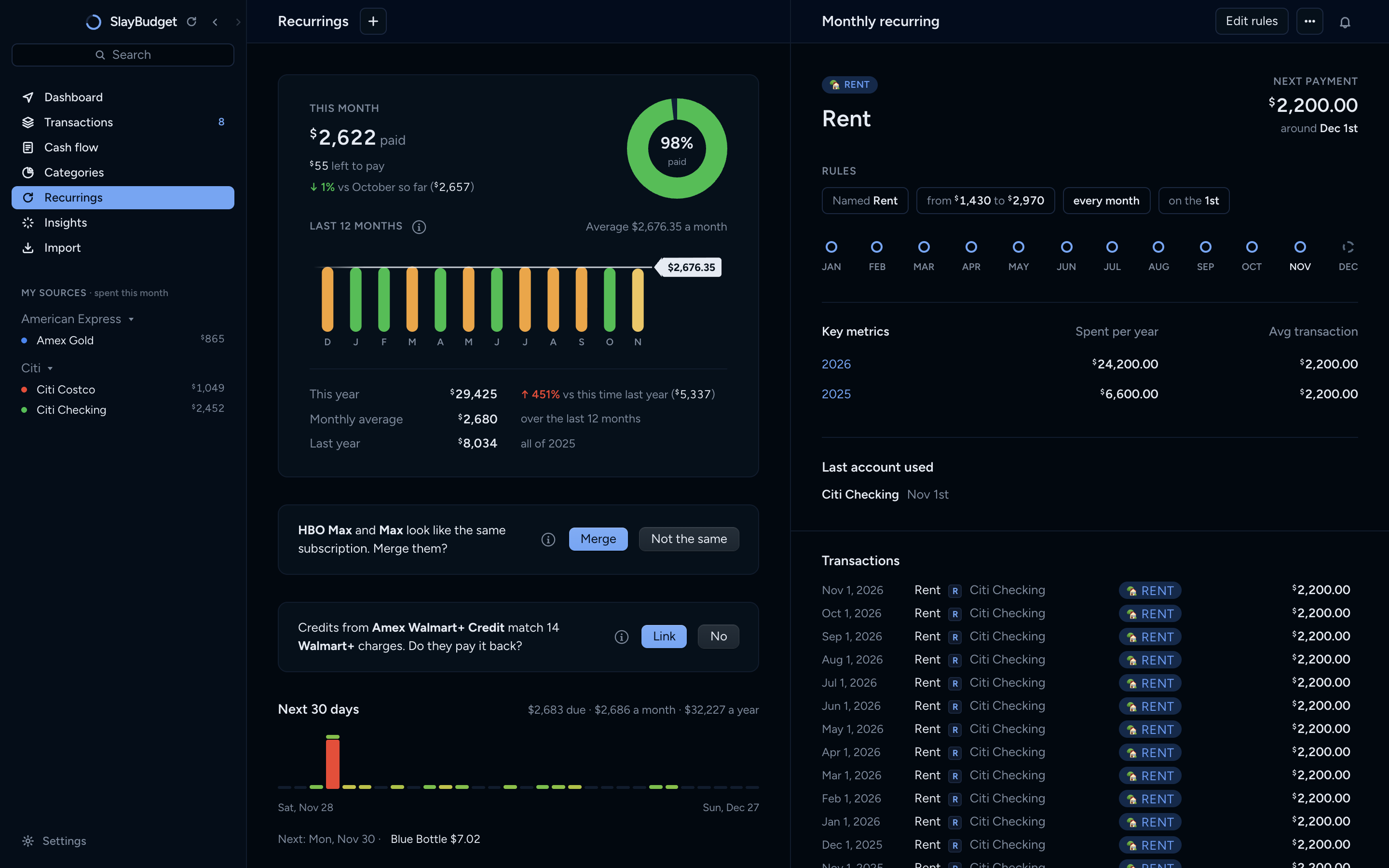
Recurrings shows the next 30 days: a bar on each day a bill is due, sized by what it costs, with what's due in those 30 days and what all your bills cost a month and a year. Pick a day to see its bills and open one. Each bill also shows its own yearly cost, after any credit, so a subscription your card pays back in full costs $0.
How do I change a recurring bill's rules?
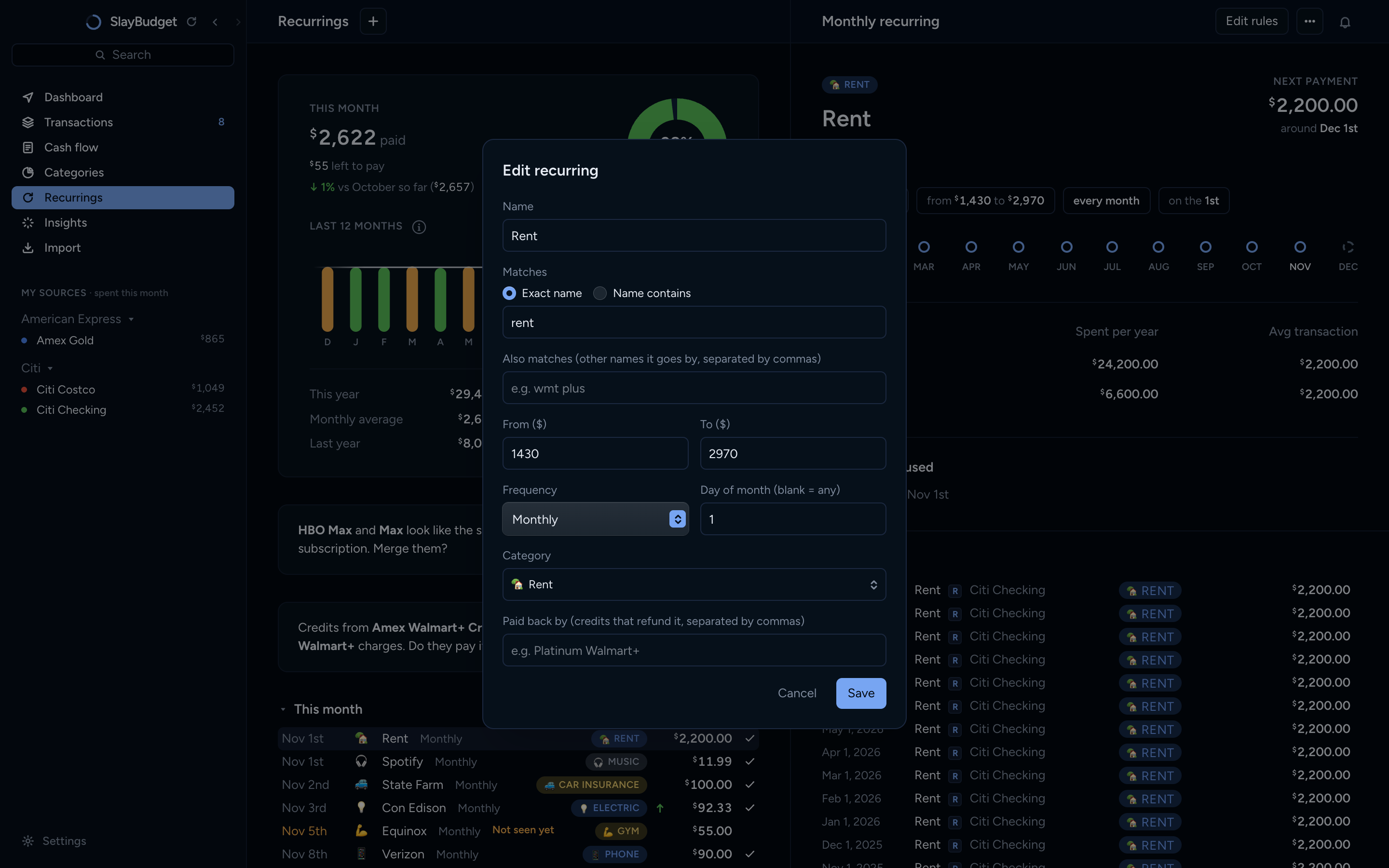
Select the bill on Recurrings and choose Edit rules. You can change its name, how it matches (the exact name or name contains), other names it goes by on statements, the amount range, how often it comes (weekly up to every 4 years), the day of the month it's due, its category, and the credits that pay it back. Saving re-checks past charges against the new rules. The ••• menu pauses or archives a bill, and Not recurring on a transaction takes that one charge out of its bill.
How do I change a transaction's category, and what happens to the others?
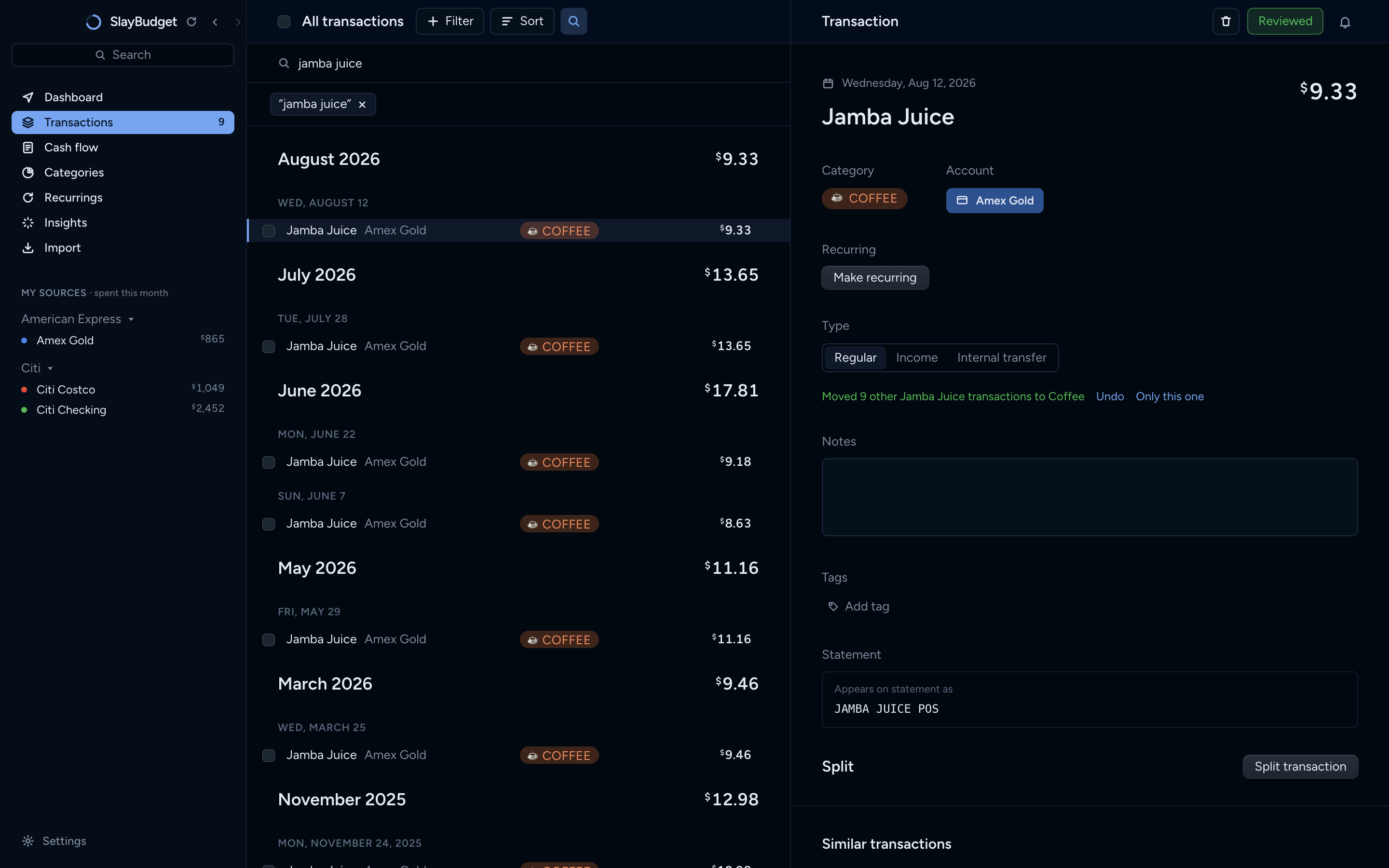
Click the category on any transaction and pick another. The merchant's other transactions follow, history included, and a note says how many moved, with Undo and Only this one. SlayBudget remembers the choice for future imports.
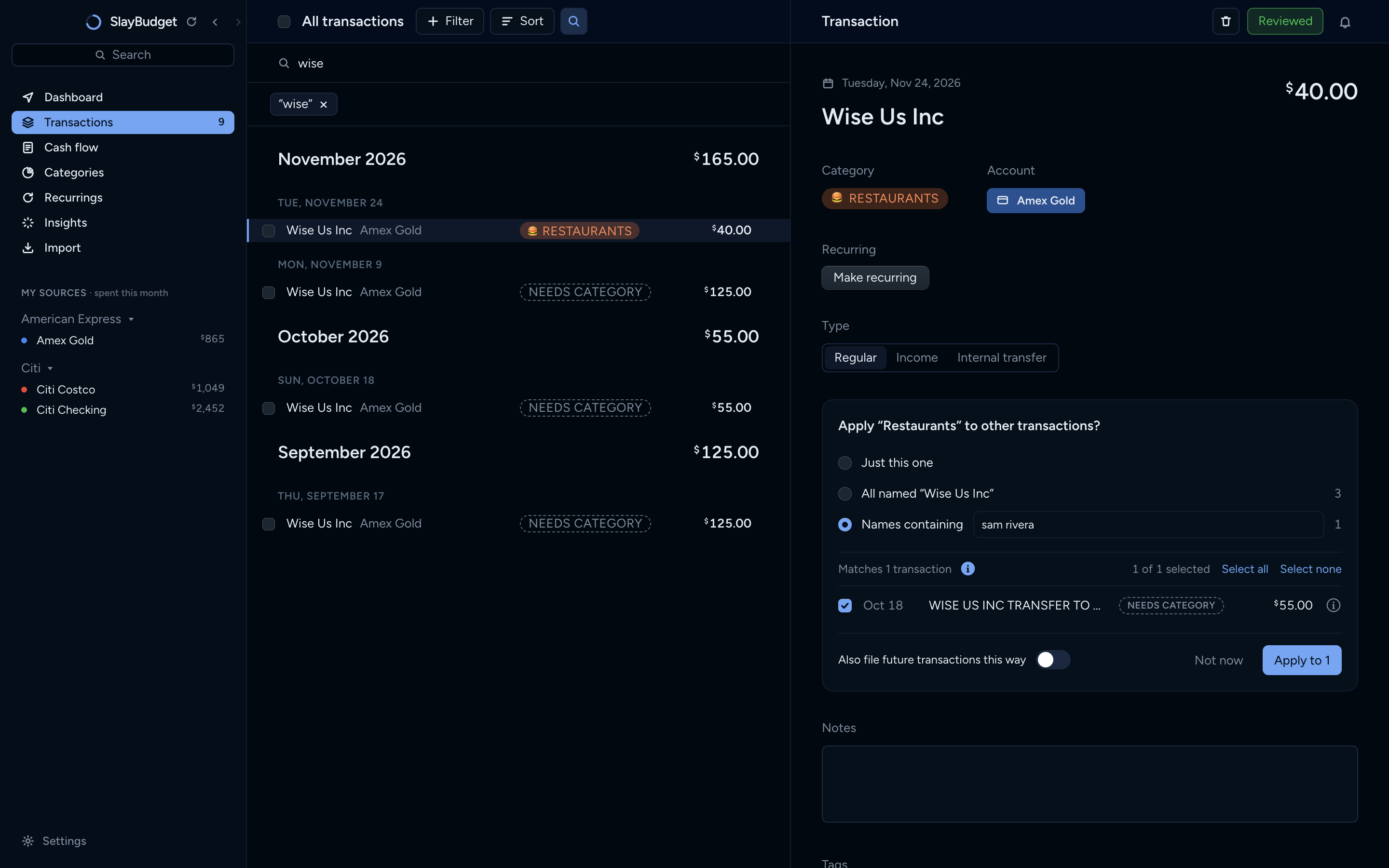
Payment apps like Wise, Zelle and PayPal work differently, because each payment can be for something different: nothing moves by itself, and you get three choices. Just this one; All named the same; or Names containing text you type (say "rent llc" or a person's name). The ⓘ lists every match with a checkbox, plus Select all and Select none, and nothing is ticked until you choose. Also file future transactions this way saves it as a rule. Select several transactions and set a category from the toolbar to get the same choices for all their names at once.
A card credits me for a subscription. How do I link the credit?
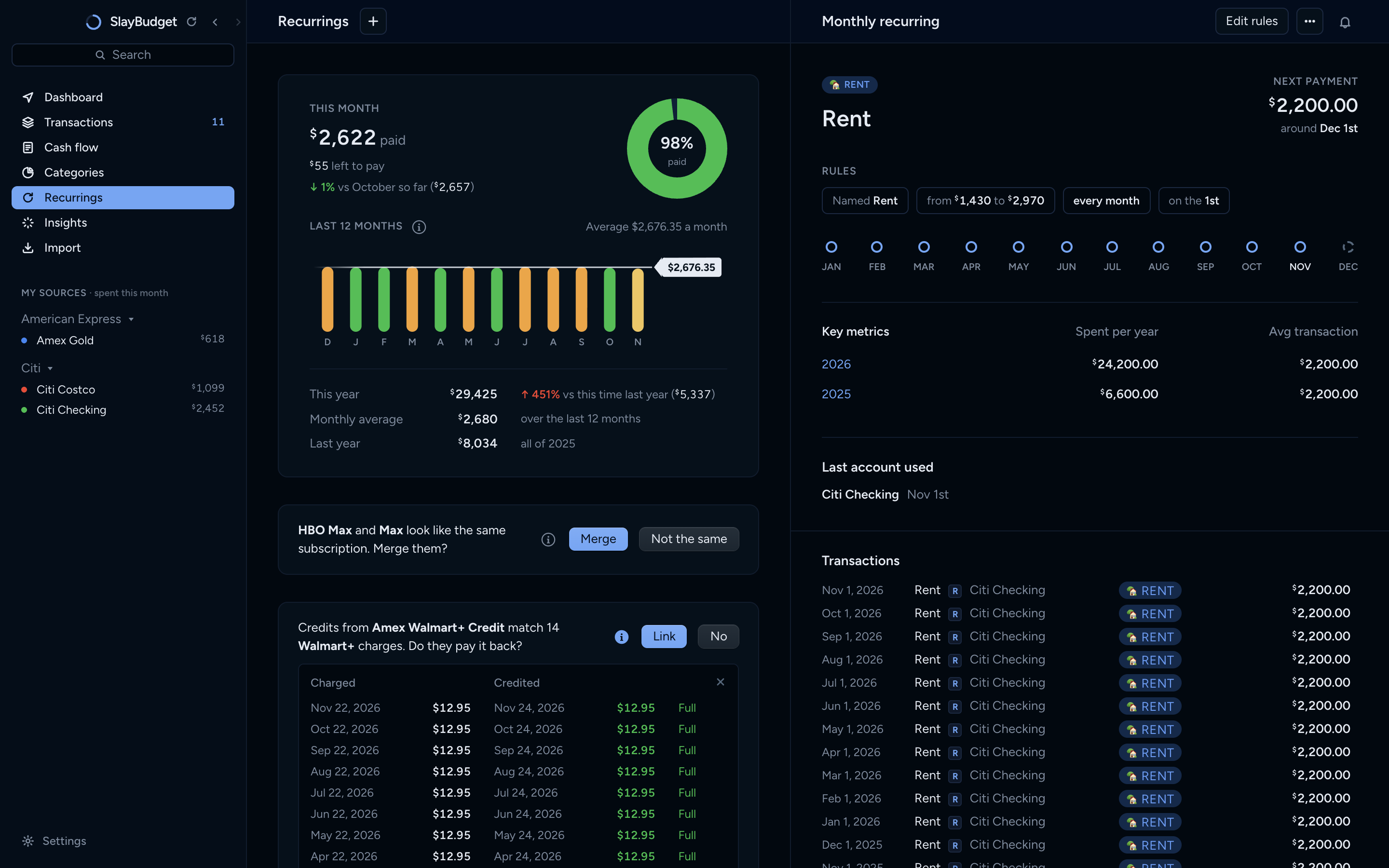
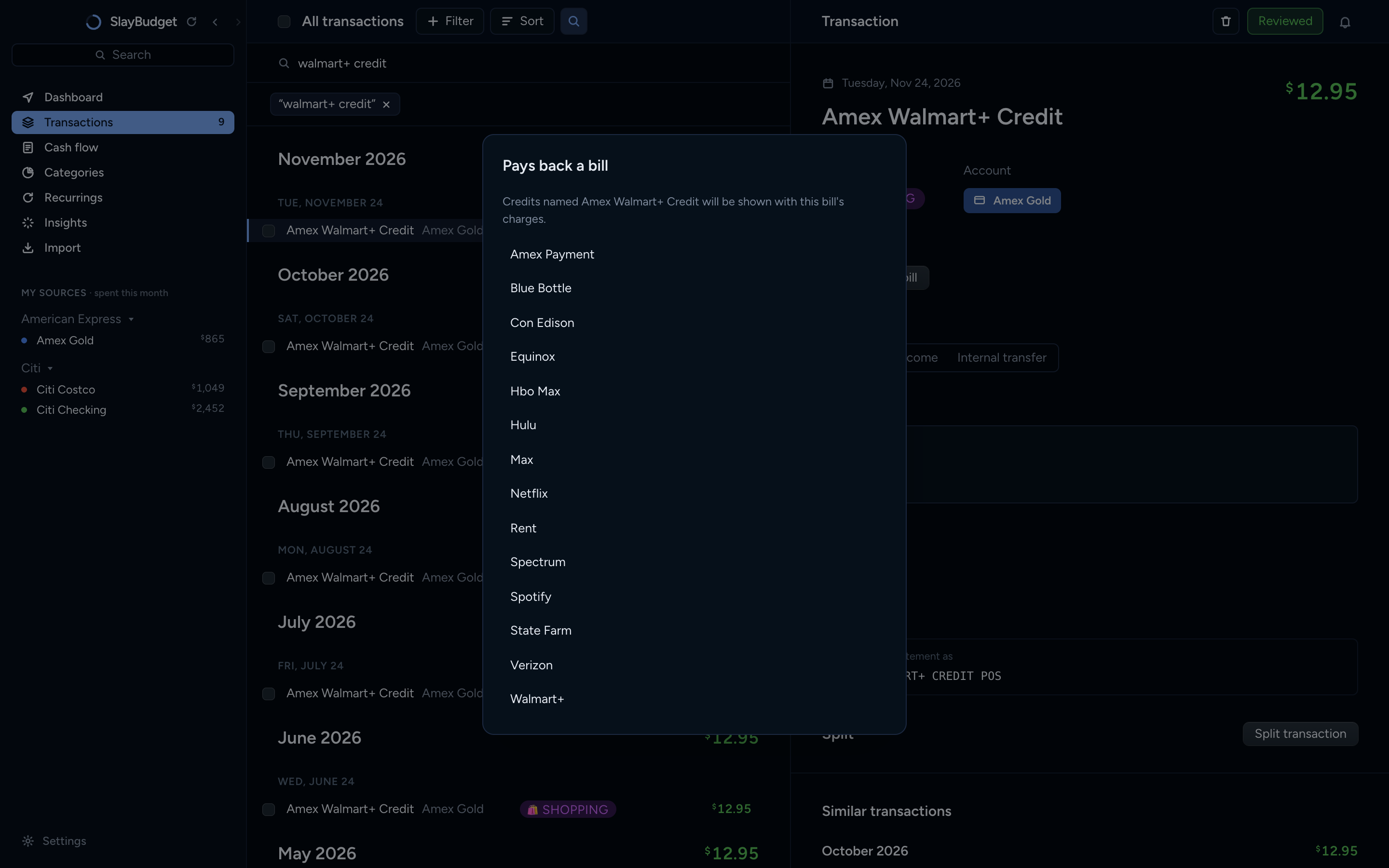
Usually you don't have to: when credits match a bill's charges, Recurrings asks "Do they pay it back?" and one click links them. To link one yourself, open the credit and choose Pays back a bill, or add the credit's name to the bill's Paid back by rule. Each charge then shows with its credit and what it cost you after it, and the credit counts in the charge's category everywhere, so your spending isn't overstated. A refund from the same store for the same amount, within 90 days, is matched to its purchase automatically.
Can I search by amount?
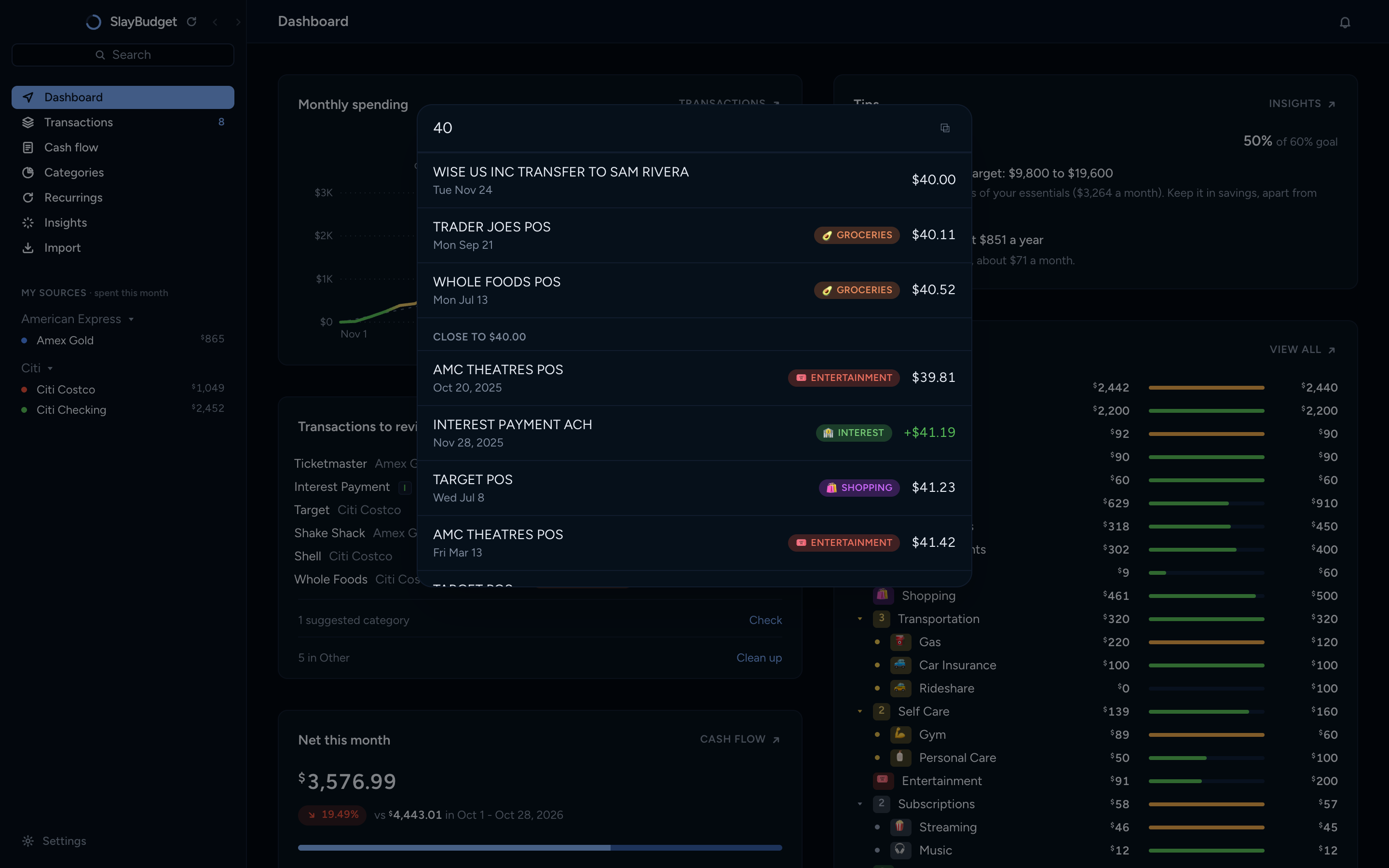
Yes. Type an amount ("42.50", "$42", "1,675") in search or the Transactions search field: exact matches come first, then everything within 10%, closest first. Add words ("venmo 40") or dates ("42.50 last month") to narrow it.
How do updates work?
SlayBudget checks GitHub for signed updates, shows what's new since your version, and installs only when you click.
 SlayBudget